
Crew Up
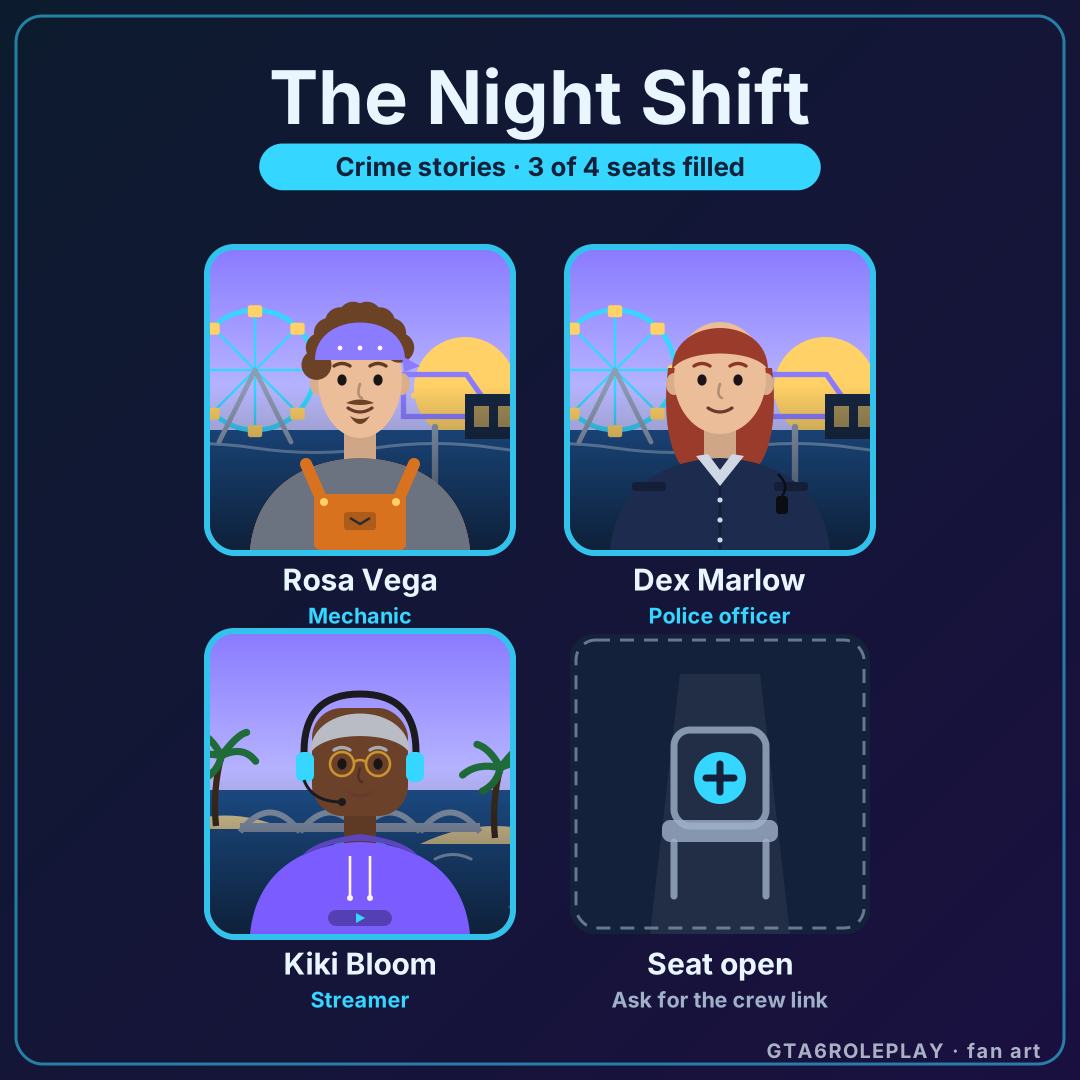
Start a four-player RP crew, take the first seat and send the link to your friends. Each friend claims an open seat with their own role or saved character and sends the link back, until your crew card is full. Nothing is stored on a server: the whole crew lives in the link.
Your crew
New crew: you are in seat 1. Fill in your seat, then invite three friends.
My crews (0 of 3)
- Empty slot
- Empty slot
- Empty slot
Kept in this browser only. They also show on your file.
Locked frames open up from your rank level, album cards, daily streak and the Card Carrier card from the Character card studio. Each one says what opens it.
Why crews matter in RP
Roleplay is played in groups. A lone character can wander a server for hours, but a crew of four always has a story going: someone needs a lift, someone owes a favour, someone is about to make a bad decision. Crews also make a new server less daunting. You arrive with people you trust, you already have reasons to talk to each other and you can find the server's other groups together. Before GTA 6 roleplay servers exist, a crew card is a simple way to agree who plays what.
How to split the roles in a crew
The best crews mix roles that create scenes for each other, rather than four of the same job. A few pairings that tend to work, from the eight roles in our roles guide:
- Police officer: Keeps the story honest: chases, arrests and the long interview where the truth finally comes out.
- EMS medic: Turns a crash into a scene: patients, paperwork and the occasional hospital drama.
- Mechanic: The crew's fixer: cars, favours and a garage where everyone ends up eventually.
- Lawyer: Gives every arrest a second act, in court and in the hallway outside.
- Civilian: The glue: a day job, a group chat and opinions about everyone else's choices.
- Business owner: Runs a place to meet: a diner, a bar or a shop that hires the rest of the crew.
- Crew member: Brings the risk: plans, rivalries and the reason the police officer has a busy night.
- Streamer: Plays it out loud: keeps scenes moving and remembers that the chat is watching.
Pick a crew vibe that matches the server you want: the six vibes are the same as the results of which RP vibe are you?. Before you join a server together, read the RP rules and etiquette so everyone knows what powergaming and metagaming mean, and browse the server directory to find a community that fits.
Unlocks
Two frames are free. The rest open up from things you already do on GTA6 Roleplay, and they stay open:
- Gold: reach level 3
- Holo: collect 10 album cards
- Street: 5-day daily streak
- Card Carrier: earn the Card Carrier album card
Questions
Where is my crew saved?
In the link itself. The crew name, the vibe, the frame and each seat's role, name and look are packed into the part of the link after the # sign, which browsers never send to a server. We store nothing: up to three crews are also kept in this browser under My crews, and on your file.
How do my friends join?
Press "Invite a friend" and send the link. Your friend opens it, picks a role and a name for an open seat, presses "Take this seat" and sends the new link back. When you open that link, the new members are highlighted. Taken seats can never be overwritten from a link.
Can I use my own character?
Yes. If you saved a character in the Character card studio, pick it under "Your seat" and its portrait, name and role go into your seat. Otherwise your seat gets a generic look for your role.
What do I get for starting a crew?
Your first crew with two or more filled seats, or your first crew card download or share, adds the legendary Crew Captain card to your RP Codex.
Is this an official GTA 6 or server feature?
No. Crew Up is a fan tool with original art. It is not part of GTA 6, FiveM or any RP server, and it has no Rockstar logos, art or official marks. The card carries a small "GTA6ROLEPLAY · fan art" mark.
Keep exploring
Daily games: 28 pages to explore
- Story NightA short branching roleplay scene every day: make four calls, reach one of eight endings, then try again for the rest.
- GetawayA daily Numbrix-style number-path puzzle. Plot one getaway route that visits every block of the city grid in order, 1…
 GTA 6 roleplay server readiness trackerCan GTA 6 roleplay servers open yet? Not at launch.